
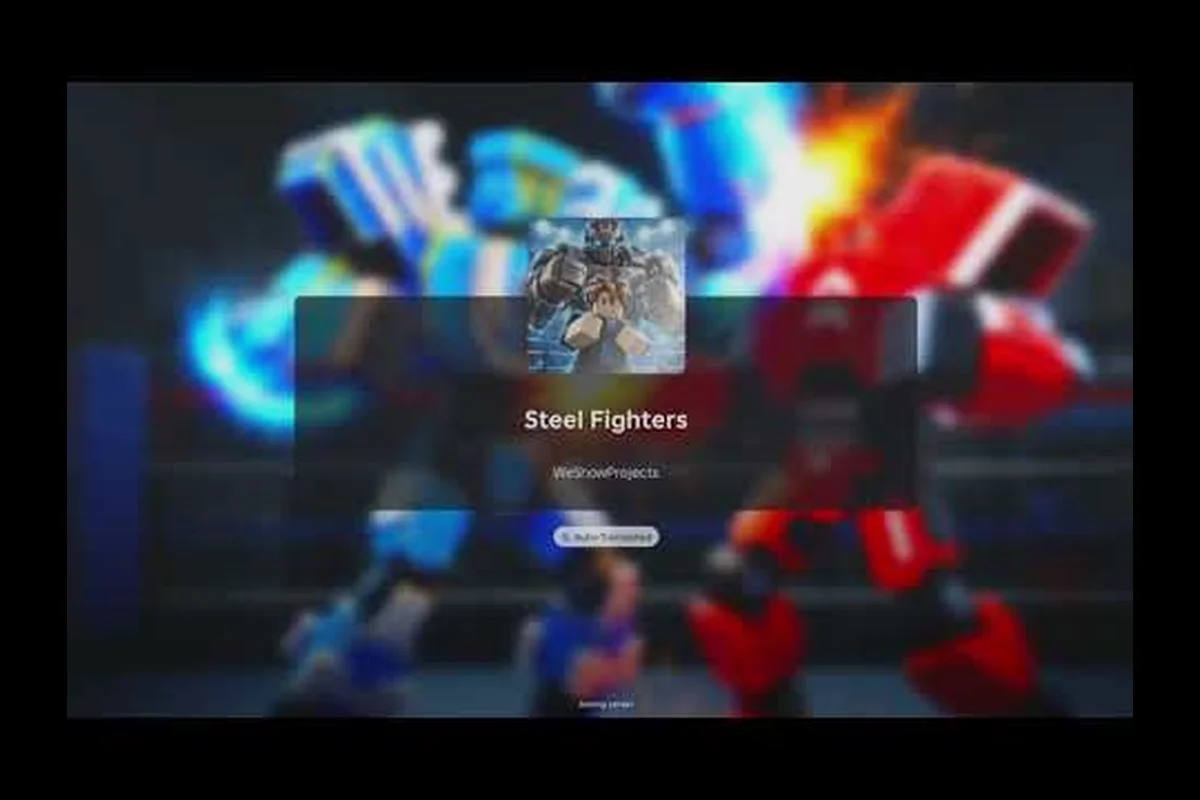
The Steel Fighters Roblox group can unlock a free robot or robot parts through simple community actions, so joining the official developer space is worthwhile. Here is how to claim each bonus and tell confirmed rewards apart from outdated community claims.
Steel Fighters Roblox Group and Official Developer Benefits
The Steel Fighters Roblox group is the official community hub operated by WeShowProjects, the developer behind Steel Fighters. Its Roblox group page listed 956,025 members as of October 25, 2026, making it the best place to distinguish legitimate announcements from recycled reward rumors. The page also provides direct access to developer news, event notices, and the current requirements for promotional rewards.
The official Steel Fighters Roblox group page states that joining the group and liking the game can award a free robot, while favoriting the game can award free robot parts. That structure matters because each action belongs to a different part of the platform: group membership, the experience's like button, and the experience's favorite button.
| Platform action | Reported official reward | Verification status |
|---|---|---|
| Join WeShowProjects | Free robot | Confirmed on the official group page |
| Like Steel Fighters | Free robot | Confirmed on the official group page |
| Favorite Steel Fighters | Free robot parts | Confirmed on the official group page |
| Join a code-sharing community | Possible code or promo reward | Community reports require in-game confirmation |
| Follow an unofficial account | Unverified bonus | Do not treat as guaranteed |
The group is owned by AtanHoldings, according to the official Roblox listing, although it had not displayed a verified badge as of October 2026. Lack of a badge does not make the listed rewards false, but it is still worth checking the group URL, publisher name, and in-game wording before entering account information.
Players who want to improve the robot they receive can review the Steel Fighters robot unlock requirements after claiming it. A starter reward is most useful when you understand the difference between a basic legal robot and stronger combinations that require additional parts.
Why the rewards follow the group page
Roblox group rewards generally connect to platform actions rather than a conventional in-game code box. Joining the developer group, liking the experience, and favoriting it are visible actions that the game can detect, which explains why a Steel Fighters join group reward may arrive through an official trigger instead of a typed redemption string.
| Question | Best verification method | Reason |
|---|---|---|
| Does the bonus exist? | Check the developer group page | Official notices outrank reposts |
| Has it been claimed already? | Inspect the account inventory | Prevents duplicate tracking attempts |
| Is a code active? | Redeem it in the game | A community listing alone is not proof |
| Is a new robot worth building? | Compare its stats and parts | A reward may not fit every setup |
| Did a promotion expire? | Look for a current timestamp | Older social posts age quickly |
Treat the listed items as platform-triggered rewards, not guaranteed random drops. If a post says that simply visiting the group grants a robot, be cautious: the documented trigger is completing the stated group action, and the game must register that action successfully.
Steel Fighters Join Group Reward Claim Guide
Claiming the Steel Fighters join group reward is straightforward: open the official WeShowProjects group, join it while signed into the intended Roblox account, then return to Steel Fighters and look for a reward notification or a new inventory item. A group membership can be hidden behind a group join requirement, so the game may not recognize the action immediately.
Use this reliable sequence:
-
Confirm that the Steel Fighters experience is open from its official Roblox listing.
-
Open the WeShowProjects group in the same Roblox account.
-
Select Join and wait for the membership status to update.
-
Visit Steel Fighters and inspect notifications, mail, or the robot inventory.
-
If nothing appears, launch the game, complete the early progression sequence, and check again because some systems validate membership after the account reaches a specific stage.
-
Keep a record of the account, claim date, and reward received. That information makes support requests much clearer if a valid action fails to register.
Account matching prevents most failed claims
The biggest source of missing rewards is using different accounts on Roblox, the group, and the game. Roblox group membership belongs to the signed-in profile, while the robot belongs to the player profile in Steel Fighters. Joining with a secondary account and then checking a primary account will naturally produce a misleading “missing reward” result.
| Common situation | Likely explanation | Correct response |
|---|---|---|
| Joined with an alt account | Account mismatch | Join with the same profile you play on |
| Joined before installing the game | Membership may not have synced | Open the game and trigger validation |
| Reward is not visible | Wrong menu or notification delay | Check inventory and notifications after a short wait |
| Group action was canceled | Incomplete membership | Join again and confirm the status |
| A different robot appeared | Reward pool can vary | Verify the item in the inventory |
The group listing describes the join reward as a free robot, but it does not guarantee a particular model. Steel Fighters supports more than 100 robots, according to the official Steel Fighters game page, so the exact reward may depend on the current promotion configuration. A more detailed breakdown of Steel Fighters robot parts can help you assess what you received.
Steel Fighters Free Robot and Like Rewards
The documented Steel Fighters free robot group route and the Steel Fighters like reward are associated with separate Roblox actions. Joining the developer group or liking the experience can each qualify for a robot, but players should still verify that the game has recorded the action before assuming the account is eligible.
Compare the two robot routes
| Route | Required action | What to check afterward | Likely result |
|---|---|---|---|
| Developer group route | Join WeShowProjects | Inventory and event notices | Free robot |
| Like route | Like the Steel Fighters experience | Inventory after a relaunch | Free robot |
| Both routes | Complete both actions | Account for duplicate or separate claims | Potentially one or more rewards |
| Social repost route | Follow an unofficial account | Official source and in-game receipt | Unverified unless officially stated |
To use the like reward, locate the Steel Fighters experience on Roblox, select the like control, and then return to the game. Avoid signing in through a guest session during this process. If the experience was previously liked on another account, verify that the current account has its own like state rather than assuming both profiles share the action.
The robot reward is a starting point, not a permanent substitute for progression. Once claimed, compare its stats and equipment with the available lineups. The 2026 Steel Fighters tier list can help identify whether the free robot belongs in your current build, while the parts guide covers the upgrades that may produce a larger performance improvement.
When a claimed robot does not appear
First, check whether the action was completed on the same account. Next, relaunch Steel Fighters because inventory refreshes can lag behind group membership and like records. Third, look for the robot in the appropriate collection or inventory screen rather than assuming it is automatically equipped.
If the action was correctly completed and the reward is still absent, record these details before contacting the developer:
-
Roblox username used for the claim
-
Date and approximate time of the group join or like
-
Whether the membership badge appears on the account
-
Whether a notification or reward message appeared
-
Screenshots of the official group and the game page
Avoid sharing passwords, browser cookies, or recovery codes with anyone offering to restore a missing reward. The official group is the appropriate place to identify a genuine problem, and private messages from unverified accounts are a common form of reward scam.
Steel Fighters Favorite Reward for Free Robot Parts
The documented Steel Fighters favorite reward is a bundle of free robot parts obtained after favoriting the Steel Fighters experience. This is separate from the robot rewards linked to group membership and liking, so players who only complete one of those actions may leave the parts promotion unused.
Step-by-step parts claim
-
Sign into the Roblox account used for Steel Fighters.
-
Open the official Steel Fighters experience, not a copied link or alternative listing.
-
Select the favorite or heart control on the experience page.
-
Confirm that the game displays the experience as favorited.
-
Launch Steel Fighters and allow the game to refresh its account data.
-
Check the inventory for the new parts and compare the quantities with your previous balance.
| Verification point | What a successful result looks like | Common failure |
|---|---|---|
| Favorite state | The experience shows as favorited | Action was completed on another account |
| Game launch | Steel Fighters loads after favoriting | The player only revisited the Roblox listing |
| Inventory balance | Part count rises or a claim notice appears | A manual restart has not occurred |
| Reward contents | Parts appear in the relevant category | The player looked for a new robot instead |
Players researching the Steel Fighters free robot parts promotion should distinguish actual inventory parts from scrap, cash, and temporary boosts. The official group describes the favorite reward as parts, but it does not necessarily identify a fixed set of components in the captured listing. Part rarity and type may vary as promotions change.
If your goal is to build a stronger robot immediately, compare the Steel Fighters arm and leg parts guide after the inventory refresh. This also helps you identify whether a missing notification is simply a part you did not recognize.
Steel Fighters Promo Rewards and Community Claim Checks
Community reports suggest that Steel Fighters promo rewards may also appear through codes during October 2026 update waves. Those reports are useful for discovering a new code quickly, but they are not equivalent to an official announcement. A community-maintained code thread can contain expired or mistyped entries, which makes live redemption the final test.
A useful three-source check combines the developer group, the in-game redemption flow, and a recent community report. The official source establishes whether a promotion is recognized, the game establishes whether a string works, and community data helps you spot a newly posted code that official pages may not yet mention.
| Source | Reliability | Best use | Limitation |
|---|---|---|---|
| WeShowProjects group | Highest | Official reward terms | May not list every new code instantly |
| In-game redemption | Highest for current code status | Confirming a code works | A failed entry may be expired or mistyped |
| RobloxCodesUnite thread | Medium | Finding recent community reports | Not official and may lag |
| YouTube community guides | Medium | Learning broader reward procedures | Specific numbers may be outdated |
| Social reposts | Low | Finding leads to check | Often recycled or misleading |
Community sources can help establish a likely promotion window, but a code should not be called active until it works in the game. Copy the characters carefully, including capitalization, and avoid adding spaces that were not shown. If the game rejects one code, try once more with the original spelling before concluding that it has expired.
Separate platform rewards from redeemable codes
The join, like, and favorite bonuses are account actions rather than code entries. A player can complete all three and still find that a separately posted promo code has expired. Likewise, redeeming a valid code does not guarantee that the account qualifies for a group-based reward.
| Reward type | Trigger | Where confirmation appears |
|---|---|---|
| Group robot | Join the official developer group | Inventory or in-game notice |
| Like robot | Like the official experience | Inventory after synchronization |
| Favorite parts | Favorite the official experience | Parts inventory balance |
| Promo code | Enter a valid string in the game | Redemption result message |
| Event reward | Complete a timed event objective | Event progress or inventory |
Do not promise that a social media follow, Discord membership, or reshare earns a bonus unless the developer explicitly lists it. These actions are often presented as unofficial “promo rewards,” but a large follower count or popular guide is not proof of an in-game reward.
Practical Checklist for Claiming Steel Fighters Community Bonuses
A short verification routine catches most problems: use the correct account, complete each platform action, confirm the state on Roblox, relaunch the game, and inspect the inventory. Record the results so a temporary display issue does not turn into repeated clicking or an unnecessary claim on another account.
| Order | Action | Completion check | Possible result |
|---|---|---|---|
| 1 | Join the official WeShowProjects group | Group membership appears | Free robot eligibility |
| 2 | Like the official Steel Fighters experience | Like state appears | Free robot eligibility |
| 3 | Favorite the official experience | Favorite state appears | Free robot parts eligibility |
| 4 | Launch Steel Fighters | Game loads with the same account | Reward synchronization |
| 5 | Inspect notifications and inventory | New robot or parts are visible | Confirmed claim |
| 6 | Review remaining inventory upgrades | Robot and parts are equipped correctly | Better build progression |
The order of the first three steps does not need to be exact, but the account must remain consistent. If one action fails, repeat only that step rather than joining repeatedly across several accounts. Excessive duplicate actions can complicate support analysis without creating additional eligible claims.
For broader progression, the Steel Fighters tier list maker can help organize the robots you own, including the one received through a group, like, or favorite promotion. It is especially useful when you want to compare a free reward with your current favorite build before investing time in upgrades.
The central takeaway is simple: the Steel Fighters Roblox group remains the authoritative place to verify community bonuses. Join, like, and favorite actions can produce a free robot or parts, while codes and social promotions require separate confirmation. Use the official pages, keep one account throughout, and trust inventory receipts over unsourced reward claims.
Frequently Asked Questions
How do I join the official Steel Fighters Roblox group?
Open the WeShowProjects group linked from the official Steel Fighters experience or developer page, then select Join while signed into the account used to play. The group’s own listing identifies WeShowProjects as the Steel Fighters developer and states that membership can qualify players for a free robot, so no third-party referral link is required.
Does joining the Steel Fighters Roblox group always give a robot?
The official group listing describes a free robot reward for joining, but eligibility can depend on account status, promotion availability, and successful synchronization with the game. Join, relaunch Steel Fighters, and check the inventory. If the item is absent, verify that you used the same account and review the group’s latest notice for changes.
How can I claim the Steel Fighters like reward?
Open the official Steel Fighters experience on Roblox and select its like control while signed into your playing account. After confirming that the like state appears, launch the game and inspect notifications and the robot inventory. The official developer group lists liking the experience as another route to a free robot, but successful registration is what confirms the claim.
What does the Steel Fighters favorite reward include?
The official group page lists free robot parts as the reward for favoriting the Steel Fighters experience. The captured notice does not specify one permanent bundle, so check the parts inventory after the game refreshes. The delivery may contain components rather than a complete robot, which means the parts can then be equipped to an existing build.
Are community-listed Steel Fighters promo rewards reliable?
Community reports can identify new codes quickly, but they are not official confirmation. Test a listed code directly in the game, check for a redemption message, and compare it with recent notices from the developer group. Avoid accounts that promise guaranteed robots in exchange for friend requests, passwords, direct messages, or participation in unrelated promotional links.