
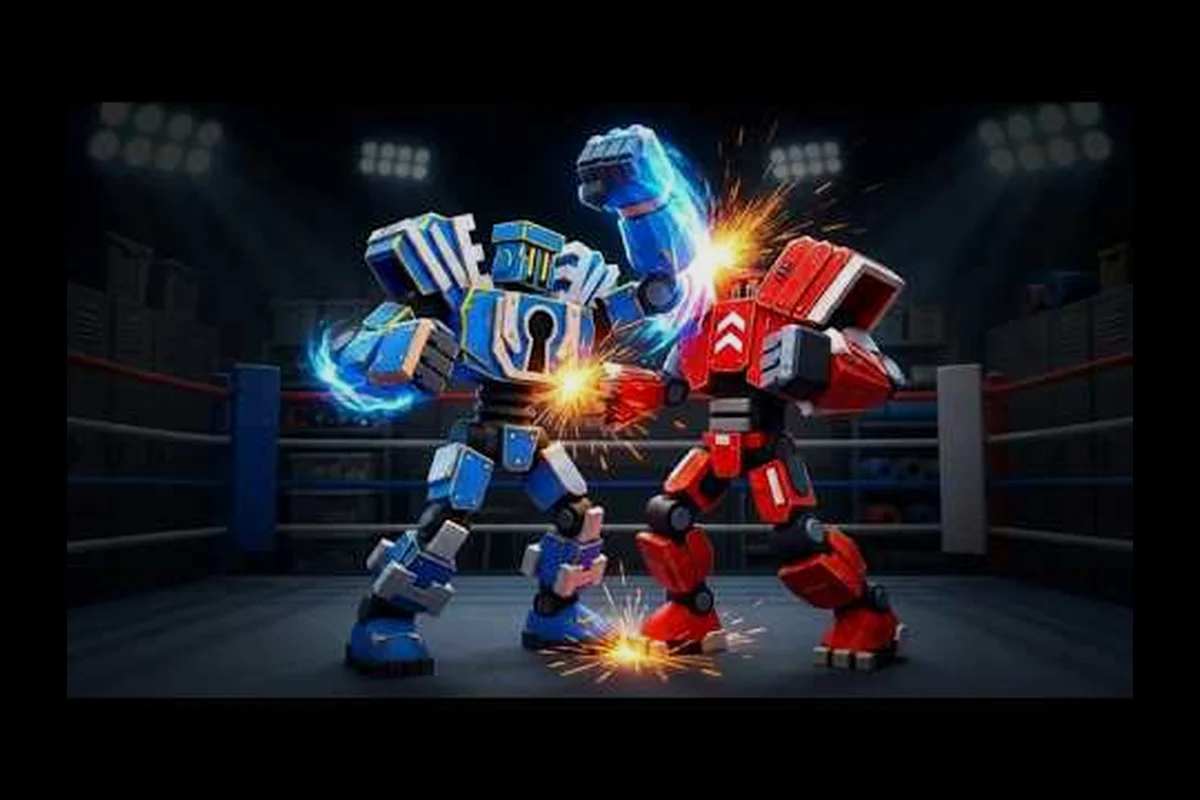
Steel Fighters robot unlock requirements depend on progression, rewards, and the acquisition method you use. Knowing which systems produce a Steel Fighters free robot, where new machines appear, and how to judge the Steel Fighters robot stats can prevent wasted resources and help you build a stronger lineup faster.
Steel Fighters Robot Unlock Requirements and Progression
Steel Fighters centers on assembling robots from parts, clearing floors, collecting scrap, and improving each machine. The official Steel Fighters game page on Roblox describes a roster of more than 100 robots, endless floors, boss fights, Junkyard activities, part upgrades, and rebirth bonuses. That structure means there is rarely one universal requirement for every robot.
Most acquisition methods fall into four categories: milestone rewards, floor progression, Junkyard drops, and promotional or code-based grants. Some methods provide a complete machine, while others give individual parts that must be assembled. A full-robot reward is usually more valuable because it saves the Scrap and Cash needed to replace missing components, although upgrades can still improve the new robot.
| Unlock route | What you receive | Main requirement | Typical use |
|---|---|---|---|
| Floor milestones | Robot or robot parts | Reach specified floors | Build a roster for tougher enemies |
| Floor chests | Random parts or rewards | Clear floors and open chests | Fill missing categories |
| Junkyard runs | Scrap, Cash, and possible drops | Explore the Junkyard | Upgrade and assemble robots |
| Boss rewards | Parts, Cash, or robot-related items | Defeat scaled bosses | Prepare for the next floor |
| Promotional rewards | Free robot or free parts | Join the group, like, or favorite the game | Test a new machine immediately |
| Redeemable codes | Free robot or parts | Enter an active code | Acquire rewards without combat |
The 100+ robots are therefore not necessarily obtained through a single checklist. Some appear through progression milestones, while others can be earned through account events or special rewards. Understanding the source also tells you whether a robot is permanent, account-bound, limited, or tied to a particular stage of progression.
Reading the robot roster correctly
A roster entry shows that a robot exists, but it does not always reveal the exact acquisition method. The game interface may identify rewards by milestone, while promotional pages use descriptions such as a free robot or free parts. Check the requirement before planning a long farming session, because a promotional reward may be available immediately while another robot demands a specific floor.
Use the Steel Fighters robot catalog reference to record each machine you own, the source of its unlock, and whether any parts remain missing. A simple inventory log prevents repeated farming and makes it easier to compare stat profiles across the full roster.
Free Robot Codes and Promotional Rewards
A Steel Fighters free robot is one of the fastest ways to expand your available lineup, but the most reliable method depends on current server events. The official WeShowProjects group page lists reward hooks for joining the group, liking the game, and favoriting it. The recorded rewards include a free robot for joining and liking, while favoriting grants free parts, although availability may change with updates.
That distinction is important. A complete robot gives you a usable combatant immediately, whereas free parts can be more valuable if they complete a strong set you already own. Because a Steel Fighters free robot code may be temporary or server-specific, confirm the current status before saving your inventory space.
| Reward method | Reported reward | Verification approach |
|---|---|---|
| Join the developer group | Free robot | Check the in-game reward message after joining |
| Like the game | Free robot | Confirm the reward appears in inventory |
| Favorite the game | Free parts | Check which part categories were delivered |
| Active code | Robot, parts, or currency | Redeem and inspect the confirmation message |
| In-game milestone | Listed reward | Read the floor or objective panel |
Player-created video guides also show the early loop of claiming starter rewards and assembling parts, but community videos may lag behind a live update. The Steel Fighters build-and-upgrade walkthrough is useful for understanding part combinations and upgrade locations, while its exact reward claims should be confirmed in the current game.
Redeeming a Steel Fighters free robot code
Open the game’s code interface, enter the active code exactly as displayed, and confirm the redemption before closing it. If the code does not register, check for accidental spaces, confirm that the code has not expired, and retry from a fresh session. Codes can expire without advance notice, so an old guide or video is not proof that a code still works.
A valid code generally shows a confirmation message or places the reward directly into your inventory. Check robots, parts, Scrap, and Cash separately because a successful redemption does not always grant the same item type. If you want a broader record of active and expired entries, the Steel Fighters code list provides the relevant reference point.
Steel Fighters Robot Stats and Build Evaluation
Steel Fighters robot stats determine how efficiently a machine performs in a lineup. Because robots are assembled from head, torso, arm, and leg components, a complete robot can be evaluated at several levels: its base performance, its upgraded performance, and the set bonus created when its parts complement one another. A balanced build is often easier to improve than one with excellent damage but poor survivability.
Player demonstrations indicate that matched parts can outperform a mixed build, while upgrades made with Scrap and Cash compound over time. Because exact values may vary by version and by the parts assigned to a robot, treat the following categories as evaluation principles rather than a fixed numerical tier list.
| Stat category | What it affects | Practical evaluation |
|---|---|---|
| Damage | Damage dealt during attacks and abilities | Compare against the floor’s enemy durability |
| Health | Surviving incoming hits and boss attacks | Raise when bosses survive too long |
| Defense | Damage reduced from incoming attacks | Valuable when progression difficulty rises |
| Speed | Movement and action tempo | Useful for controlling fights and positioning |
| Part synergy | Bonuses from compatible components | Favor complete or matched sets |
| Upgrade value | Improvement from invested Scrap and Cash | Compare final stats, not collection tier alone |
The key distinction is between collection value and combat value. A rare Steel Fighters new robot may look impressive in the catalog but underperform a common machine whose parts form a complete set. Conversely, an older robot with invested resources can remain effective after upgrades if its final stats exceed those of an untouched unlock.
The Steel Fighters tier-list maker reference can help organize those comparisons, but a tier label should never replace testing. Record the same measurements for every candidate: average damage, survivability, movement behavior, and the number of upgrades required. The Steel Fighters build and upgrade video also demonstrates the value of comparing before-and-after builds rather than judging only the unupgraded form.
Base stats versus upgraded performance
A new robot’s base stats represent its starting condition. Upgrades can raise individual components, and rebirth can provide broader progression bonuses. That means a Steel Fighters latest robot is not automatically the strongest choice for a particular floor. A well-upgraded veteran can offer more reliable performance and a familiar part combination.
Compare four items before committing resources:
-
The robot’s unmodified combat profile.
-
The cost of upgrading each installed component.
-
The result of matching it with existing parts.
-
Its performance against the enemy scaling of your current floor.
This process also prevents one common mistake: treating a full unlock as finished. A robot may be technically unlocked while still lacking the parts or upgrade levels needed for the hardest content.
Practical Ways to Obtain New Steel Fighters Robots
The fastest route depends on where you are in progression. Early players gain more from floor rewards, chests, and starter promotions than from a long robot-specific hunt. Later players can target bosses, use the Junkyard efficiently, and reinvest Scrap and Cash into a smaller number of specialized builds. New players should also understand how to collect the parts for a Steel Fighters new robot before they begin upgrading a different machine.
Prioritize a complete build
A complete robot or coordinated set offers immediate value because it reduces the number of missing components you need to farm. If your inventory contains a strong torso and matching arms, completing that set can be more valuable than obtaining another isolated unit. This principle is especially useful when free parts arrive through promotional rewards.
| Current situation | Better objective | Reason |
|---|---|---|
| Several unmatched parts | Complete one coordinated set | Reduces the number of active farming targets |
| One strong veteran | Upgrade and expand it | Invested resources increase final performance |
| Empty lineup | Claim free robots and clear early milestones | Build a usable team before specializing |
| Too many robots | Keep the strongest complete builds | Avoid upgrading every small stat gain |
| Boss floor reached | Farm bosses and complete floor rewards | Match rewards to the current difficulty |
Use a three-column checklist: robot acquired, parts complete, and upgrade target. This separates unlocking from optimization and shows which machine is blocking your next progression step. It also makes the Steel Fighters robot unlock requirements clearer because each incomplete machine can be tied to a specific missing part.
Follow the Steel Fighters 100 robots milestone
The advertised Steel Fighters 100 robots collection marks a major content milestone, and community reporting suggests that adding robots to the lineup improves your ability to push through later floors. The Steel Fighters floor-progression guide demonstrates why a broader roster can help once enemies begin scaling beyond floor 30, although exact thresholds may change with updates.
A larger roster is useful only if you can field the right robots. Match a durable unit against boss attacks, a stronger damage option against vulnerable targets, and a balanced machine for general floors. The important milestone is not merely owning 100 robots; it is having enough complete, functional builds to handle the next challenge.
Rotate activities instead of farming one target
Use floors for normal progression, chests for randomized parts, bosses for milestone rewards, and the Junkyard for upgrade materials. Switching between sources prevents one activity from becoming inefficient. Community experience also points to Golden Dice and floor chests as possible part sources, but drop rates are not fixed in the available official information, so treat those as farming possibilities rather than guaranteed rewards.
Optimizing Unlock Priority and Upgrade Spending
A reliable plan separates collection from combat optimization. First, obtain free or milestone robots. Second, complete the parts on the most useful units. Third, upgrade only after a build is stable enough to reach the next floor. This order prevents a common mistake: investing heavily in a robot that cannot yet reach the content where its upgraded stats would matter.
Set three checkpoints for every new unlock. First, confirm that the robot can be equipped. Second, identify any missing parts. Third, compare its upgraded potential with your current lineup. This review makes Steel Fighters robot stats more useful because it connects the numbers to an actual progression decision.
| Priority | Action | Resource commitment | Result |
|---|---|---|---|
| 1 | Claim free and milestone robots | Low if rewards are automatic | Immediate roster expansion |
| 2 | Complete missing parts | Moderate Scrap and Cash | Usable full machine |
| 3 | Match compatible component sets | Moderate | Better synergy and flexibility |
| 4 | Upgrade essential parts | High but focused | Better floor performance |
| 5 | Rebirth for broader bonuses | Resource-dependent | Stronger long-term scaling |
| 6 | Expand into specialized builds | High | Support for harder bosses and floors |
The best Steel Fighters free robot is therefore not simply the newest name on the list. Consider how its parts fit, what upgrades it needs, and whether it fills a gap in your lineup. If two robots occupy the same role, keep the one with stronger final stats or fewer missing parts.
Rebirth timing and upgrade focus
Rebirth can improve long-term multipliers, but it should follow a functional build rather than precede it. A machine that is missing several parts or performs poorly on the current floor is unlikely to make the most of new bonuses. Review the Steel Fighters early-game walkthrough for a practical look at the starter loop, including when rebirth becomes part of the progression, while verifying current requirements inside the game.
A disciplined upgrade plan keeps upgrade efficiency at the center. Compare the stat gain from one component against the cost of obtaining a different missing part. Sometimes completing a set provides a larger benefit than raising one already functional part, especially when enemies scale sharply on later floors.
Verification Checklist for Robot Rewards and Updates
Robot unlock information can become outdated quickly because Steel Fighters is a live game with rotating rewards, server events, and balance changes. The Steel Fighters robot unlock requirements should therefore be verified against the current game interface before a player spends hours farming. Use community guides to understand the system, but rely on the official game and developer pages for current claims.
| Detail to verify | Where to check | Warning sign |
|---|---|---|
| Current code validity | In-game redemption panel | An “invalid” or expired message |
| Promotional robot offer | Developer group and game notice | Reward is no longer listed |
| Floor milestone | Floor reward panel | Required floor has changed |
| Boss reward | Defeat screen or reward window | Reward differs from an old video |
| Robot stats | Robot inspection screen | Values differ from a community guide |
| Part drop source | Inventory and activity history | A limited event has ended |
Use the official Steel Fighters Roblox game page for the current game listing, and check the developer group for reward notices. Treat videos and player reports as supporting context because they may show earlier floors, older parts, or previous reward rules.
The most dependable summary is straightforward: claim available free robots, complete milestone and boss rewards, collect parts from floors, chests, and the Junkyard, and evaluate the resulting machine by its final stats and set compatibility. That approach keeps Steel Fighters robot unlock requirements manageable while helping every new acquisition contribute to real progression.
Frequently Asked Questions
What are the main Steel Fighters robot unlock requirements?
Steel Fighters robots come from several sources rather than one universal requirement. Players can reach floor milestones, defeat bosses, open floor chests, complete Junkyard activities, claim promotional rewards, and redeem valid codes. The exact reward depends on the robot, so check its milestone, reward panel, or event description before farming the required materials.
Can I get a Steel Fighters free robot without paying?
Yes, because the developer has offered free robot and free-part rewards through promotional actions such as joining the group, liking the game, and favoriting it. Availability can change, so confirm that the current notice is active and claim the reward in game. A valid code may also provide a complete robot, but expired codes should not be expected to work.
Where do I find the latest Steel Fighters new robot?
New robots may arrive through floor rewards, boss milestones, chests, the Junkyard, and limited events. The most reliable place to check is the current game interface, especially reward panels and developer announcements. Community videos can explain the reward system, but older footage may show a different floor, item, or event.
How should I compare Steel Fighters robot stats?
Compare final combat performance rather than collection rank alone. Check damage, health, defense, speed, installed parts, set compatibility, and upgrade cost. A veteran robot with completed matched parts can outperform a newer unit with missing components, while a heavily upgraded robot may remain stronger after balance changes.
Does a Steel Fighters free robot code expire?
Codes can expire, so confirm expiration dates and current announcements before planning around a reward. Redeem the code in the game and verify that the robot, parts, or currency appears in your inventory. An old tutorial may still demonstrate the correct entry process while containing a code that no longer works.