
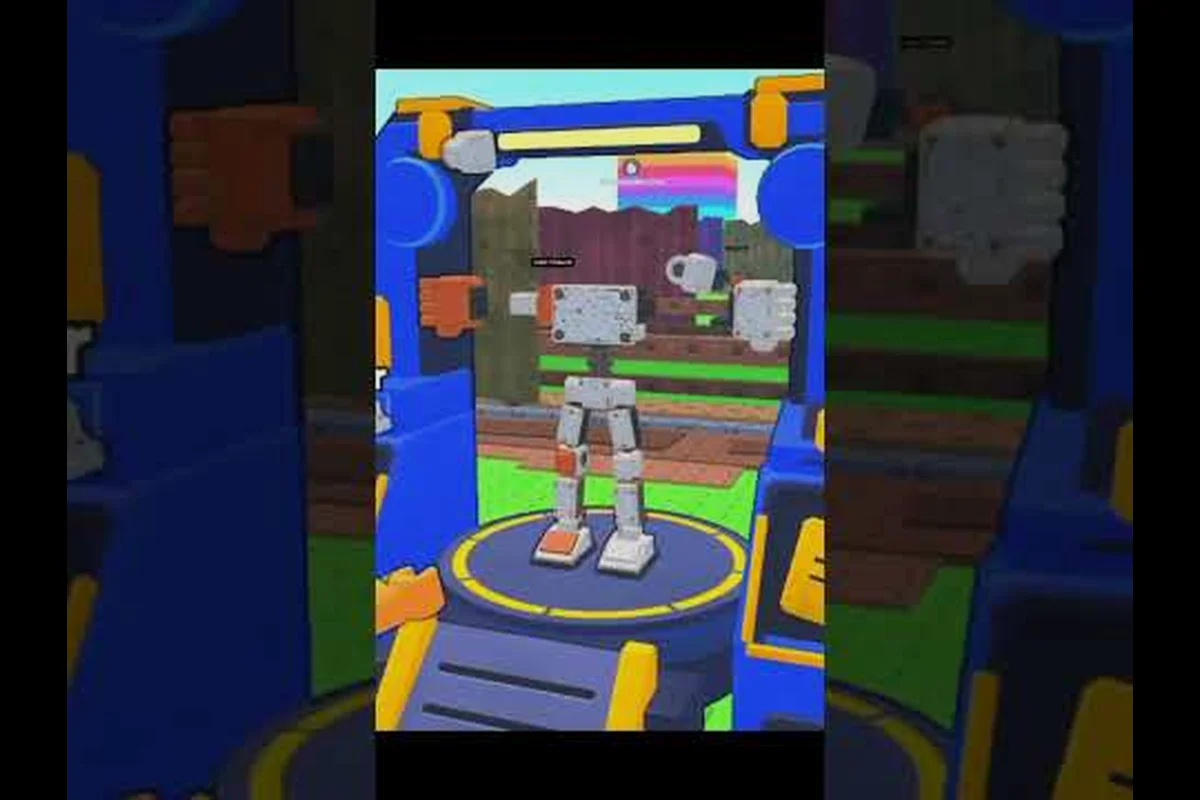
Steel Fighters report bug steps can restore a failed session, reduce lag, and show developers useful evidence. Learn quick fixes, identify server-wide outages, and send a clear report when the official game page remains unresponsive.
Steel Fighters Not Loading: Identify the Actual Problem
A Steel Fighters not loading issue can begin with a blank screen, a long queue, a frozen loading bar, or an error that returns the player to the Roblox home page. These symptoms may look identical, yet they require different responses. The fastest approach is to separate a local client problem from a server or game update problem before changing settings or reinstalling anything.
The official Steel Fighters game page on Roblox confirms that the game belongs to the WeShowProjects universe and launched on September 7, 2026. Knowing the correct experience also prevents players from confusing a genuine Steel Fighters loading failure with a browser tab that never connected to Roblox.
| Symptom | Most likely cause | First action |
|---|---|---|
| Loading bar never moves | Unstable connection or interrupted Roblox client | Restart the client and test another Roblox game |
| Blank white or black screen | Browser or graphics-cache issue | Clear the browser cache or switch launch method |
| “Unable to connect” message | Temporary platform, server, or network failure | Check service status and retry with a wired connection |
| Works for others but not for you | Account, device, or local configuration conflict | Test a second device and update Roblox |
| Everyone is disconnected | Server-side incident or maintenance | Wait for an official announcement |
Run a five-minute loading check
Begin with a full Roblox client restart, not merely a return to the home page. Close Roblox, wait several seconds, reopen it, and attempt Steel Fighters again. If the game still fails, note the exact error text, test another Roblox experience, and test Steel Fighters from a second device if possible. This quick comparison identifies whether the fault is isolated to your session or affects the wider platform.
Next, check your connection quality. Restarting the router may refresh the assigned network address, while switching between Wi-Fi and Ethernet can expose an unstable wireless route. Lower graphics quality only after confirming that the game is connecting; a visual setting will not repair a server connection. A new beginner’s Steel Fighters guide can help confirm that the expected menu and loading sequence should appear once access is restored.
Match the loading stage
Record where the failure occurs. A failure before the loading screen points more strongly toward Roblox, the browser, DNS, or the account session. A failure after the game’s visual environment appears may involve a game script, an update asset, or the destination server. This distinction gives the developer far more useful information than simply stating that the game will not open.
| Loading stage | Likely problem | Report detail to include |
|---|---|---|
| Before the loading screen | Roblox client, network, or platform | Browser, device, connection type, and exact error |
| On the loading bar | Asset download or game-server handshake | Time, region, duration, and whether retries help |
| Inside the world | Script, spawn, or server error | Floor, robot loadout, actions performed, and error text |
| When joining a friend | Session or invitation routing problem | Host name, party size, and whether a direct join works |
Steel Fighters Lag Fix: Restore Smooth Performance
A Steel Fighters lag fix can involve much more than lowering a graphics setting. Roblox performance depends on the device, network path, active session, and current game load. Before assuming a broken update, players should test whether the slowdown follows the same account, device, server, or floor across multiple sessions.
Roblox generally benefits from using the most recent stable client, and Steel Fighters may be more demanding when many robot parts, floor effects, enemies, and interface elements appear at once. Community-made guides, such as MySpaceGuide Steel Fighters tips video, also focus on progression and efficient resource collection, but community advice should be treated separately from official status information.
| Likely source | Signs | Steel Fighters lag fix |
|---|---|---|
| Weak internet | Rubber-banding, delayed inputs, frequent disconnects | Restart the router, use Ethernet, and ask others whether they are affected |
| Low device performance | Falling frame rate, delayed menus, overheating | Lower graphics, close background apps, and restart the device |
| Busy game server | Late spawns and visible congestion | Leave and rejoin, then try a less crowded server |
| Long session | Increasing stutter after extended play | Exit completely and launch a fresh client |
| Update asset issue | Repetitive loading after a recent patch | Wait for verification and report the affected build |
Separate network lag from frame lag
Network lag creates a delay between an action and the game’s response, while frame lag makes movement and animation appear choppy. If your character continues to move slightly after you release a key, the problem is probably related to the network connection. If the camera stutters while the character remains precisely in place, device performance and rendered effects are more likely causes.
For network lag, close downloads and streaming applications, restart the router, and prefer Ethernet when the network permits it. For frame lag, reduce the graphics level, lower the display resolution, remove overlays, and close demanding background programs. Restart the device when it has been running for a long period because memory pressure can affect Roblox even when the game itself is not the heaviest application.
Reduce unnecessary in-game load
A fresh session can be noticeably smoother than a session that has remained open through repeated floor transitions and fights. The game’s official page describes a progression loop involving more than 100 robots, part mixing, endless floors, boss fights, scrap collection, upgrades, and rebirths. Each activity can contribute to the scene, so comparing performance during a crowded fight with performance in the Junkyard can help isolate the heaviest activity.
If lag appears only during combat, move to a less crowded server and avoid staying near large groups while testing. If it happens everywhere, lower the graphics level and restart the client. If a particular robot or visual effect causes the slowdown, document the exact equipment and floor so the developer can reproduce the issue. Learning where Scrap comes from in the Steel Fighters resource guide can also help you identify whether a route or activity consistently precedes the slowdown.
Steel Fighters Server Down: Confirm an Outage
A Steel Fighters server down report should be based on several signals rather than one failed attempt. The game may be temporarily unavailable because of Roblox maintenance, a Steel Fighters update, excessive server demand, or a problem confined to one destination instance. Players can classify the incident more accurately by checking the official game page and testing access from another session.
| Test result | Suggested interpretation |
|---|---|
| Steel Fighters fails, but other Roblox games work | Likely game-specific issue |
| All Roblox games fail | Likely platform or local-network issue |
| Steel Fighters works on another device | Likely local client or account conflict |
| Steel Fighters works for some players | Likely server capacity, instance, or regional issue |
| Failure follows a recent update | Likely patch-related issue requiring developer review |
Watch the official communication channels
The official WeShowProjects group page on Roblox is the relevant place to monitor announcements, reward notices, and incident updates. As of October 25, 2026, the group page reported 956,025 members, although it did not display a verified badge. Its size does not guarantee that every post is an official status update, so compare notices with the game page and test whether the game is reachable.
The same page describes community rewards: joining the group and liking the game can award a free robot, while favoriting the game may award parts. These offers may be helpful when rebuilding a session, but reward claims are separate from technical support. Report loading and server issues through the developer’s designated reporting route rather than assuming that a group reward thread is an incident channel.
Use the outage checklist
Wait at least several minutes after a clear error, then restart Roblox completely. Try a different game to establish whether Roblox itself is working. If the problem persists, record the time, device, connection type, and error wording. Because the official game page is public, checking whether other players can enter the same game adds another useful signal.
Do not delete local data immediately. An uninstall will not resolve a server-side outage, and it may remove settings or cached data that could help with diagnosis. If Steel Fighters is unavailable across devices and accounts, preserve the evidence and wait for confirmation. A concise report that says the game is “down” is less actionable than one that specifies the affected stage, approximate time, region, and comparison results.
Steel Fighters Report Bug: Build a Useful Developer Report
A strong Steel Fighters report bug submission gives the developer enough information to reproduce the issue. A vague statement such as “the game is broken” does not identify whether the problem involves assets, scripts, networking, or a specific robot configuration. The most useful reports combine a short summary, exact reproduction steps, expected behavior, actual behavior, and supporting evidence.
| Report field | What to include | Why it matters |
|---|---|---|
| Summary | One sentence naming the failure | Allows quick categorization |
| Date and time | Local time and rough time zone | Helps match the report with server events |
| Device | Phone, tablet, PC, console, and operating system | Identifies platform-specific behavior |
| Connection | Wi-Fi or Ethernet, connection quality | Rules out a common source of delay |
| Steps | Short numbered sequence | Makes the issue reproducible |
| Expected result | What should have happened | Clarifies the intended behavior |
| Actual result | Exact behavior or error text | Distinguishes errors that appear similar |
| Evidence | Screenshot, video, or log | Supports diagnosis when permitted |
Capture a screenshot correctly
Take the screenshot while the error is visible, and avoid cropping away the Roblox interface, status indicators, or error wording. Include one image that shows the immediate problem and a second wider image when the problem depends on your location or loadout. If the game not loading message changes, capture the clearest version rather than taking a rapid sequence of nearly identical images.
Never submit private information such as your Roblox username, email address, local network name, or unrelated account data unless a developer explicitly requests it. Focus on the technical evidence. Also avoid recording or sharing the personal chat messages shown near the error, because the issue report should contain only what another player needs to reproduce the technical problem.
Write a concise reproduction sequence
Number the actions in the order you completed them. For example, state that you entered through the official Steel Fighters page, selected a new floor, equipped a specific robot, and then received a loading error. Mention whether other floors load normally and whether restarting the client changes the result. A precise sequence is far more valuable than a long account of unrelated gameplay.
| Report example | Quality |
|---|---|
| “Game is broken.” | Too vague |
| “It stopped loading after the latest update.” | Better, but still missing platform and steps |
| “Steel Fighters fails at the floor transition on iPhone after equipping the same robot; other games work.” | Actionable |
| “Error appears at a reproducible point with time, build, device, and evidence attached.” | Best for review |
If a code redemption issue interrupts your session rather than the game itself, use the dedicated Steel Fighters code troubleshooting guide instead of mixing unrelated problems into a performance report.
Steel Fighters How to Join and Invite Friends Safely
Steel Fighters how to join instructions can help players distinguish a private-session problem from a general failure to load. Joining through the official experience normally requires the Roblox client, an internet connection, and access to the game page. If the loading bar stops, confirm that you can enter another Roblox game before changing invitations or server settings.
To invite friends, open the Roblox player menu while connected, use the party or friend controls, and send an invitation to the intended player. A direct join through the friend list can also reach a party. If a group session does not load, test a solo session first. This isolates whether the issue belongs to your client or to the host’s server configuration.
| Test | Solo game | Another Roblox game | Friend’s Steel Fighters session |
|---|---|---|---|
| Normal | Client and account are probably healthy | Roblox access is working | Party routing or host issue may be involved |
| Fails | Account, device, or network needs review | Platform connection may be affected | Compare devices and host settings |
| Loads slowly | Local performance issue is possible | Continue checking network quality | Server congestion may be responsible |
Keep invitations inside Roblox
The Steel Fighters community and co-op guide provides related information about playing with friends and the game’s community channels. Use Roblox’s native friend and party controls rather than unofficial invitation links. A legitimate invite should keep the player inside Roblox and clearly identify the Steel Fighters session.
Avoid opening suspicious links received through chat. They may imitate a party invitation but direct you toward an unrelated experience, sign-in page, or download. If an invitation causes Steel Fighters not loading, cancel the party, restart Roblox, and reconnect through the official page. If a direct friend join works while a group invite fails, report the group-specific behavior so the developer can distinguish routing problems from rendering or server faults.
Steel Fighters Invite Friends: Verify a Stable Session
Steel Fighters invite friends procedures work best after the host confirms a stable session, because repeated reconnects can change the destination server and make troubleshooting harder. A useful test is to join a friend, remain in the session for several minutes, and check whether menus and floor transitions stay stable. This also helps determine whether a lag complaint affects only the host’s device.
| Symptom during a party | Best next step |
|---|---|
| Only the invited player cannot load | Check that player’s client, network, and account session |
| Everyone freezes during the same fight | Reduce graphics and test a less crowded server |
| The party disconnects on a floor change | Record the exact floor and send a developer report |
| The invite opens the wrong experience | Cancel it, restart Roblox, and use the official game page |
| The host sees an error while others remain connected | Capture the host’s exact message and device details |
If you are rebuilding a beginner robot, check the first-session progression advice in the Steel Fighters starting guide before changing equipment repeatedly. Stable testing depends on controlling variables, and comparing a fresh default configuration with a complex build can reveal whether one part, upgrade, or activity contributes to the issue.
Leave a traceable incident summary
At the end of testing, record whether the problem followed you to another Roblox game, disappeared after a full client restart, or returned on the same floor. Include the number of attempts and any change that appeared to help. This record makes a Steel Fighters report bug submission more credible because it demonstrates a repeatable test rather than a single observation.
Avoid changing network, device, graphics, and account settings at the same time. That approach can accidentally hide the original cause. If a restart helps, report that fact without claiming the restart is the confirmed fix. The useful evidence is that the game loaded after a full client restart, followed by another failure under similar conditions.
Frequently Asked Questions
Why is Steel Fighters not loading for me?
Steel Fighters not loading can result from an interrupted client, unstable connection, failed asset download, or a game-side server problem. Restart the Roblox client completely, test another Roblox game, and try a second device if possible. If only Steel Fighters fails, capture the exact error and report it with your platform and loading stage.
What is the quickest Steel Fighters lag fix?
The quickest Steel Fighters lag fix depends on the cause. Restart Roblox, close background programs, lower graphics settings, and use a stable Ethernet connection when available. If other Roblox games are also slow, address network congestion first. If the lag only appears in Steel Fighters, test a less crowded server and document the robot, floor, and exact moment it begins.
Is Steel Fighters server down right now?
There is no confirmed permanent Steel Fighters server down condition shown in the supplied information. Check whether the official Roblox game page loads, compare the game with another Roblox experience, and monitor the WeShowProjects group for current notices. A temporary outage may clear before a report is submitted, so include the time and test results in any follow-up.
How do I report a bug in Steel Fighters?
Prepare a short description, reproduction steps, expected behavior, actual behavior, device, connection, and recent error text. Add a screenshot showing the full error and note whether other Roblox games work. Submit the report through the developer’s official support or community channel, and avoid including passwords, email addresses, or unrelated personal information.
Can I invite friends when Steel Fighters is lagging?
Yes, but the party may also experience the same lag because every participant must maintain a usable connection. Test a solo Steel Fighters session first, then reconnect through Roblox’s native friend or party controls. If only the invited player fails to load, inspect that player’s network and client while the host keeps the session open for comparison.